HOOP JAM Quests: Daily Tasks, QP & Reward Claims
Find the QUESTS menu, compare daily and weekly tasks, and understand quest points and the reward track shown in recorded gameplay.
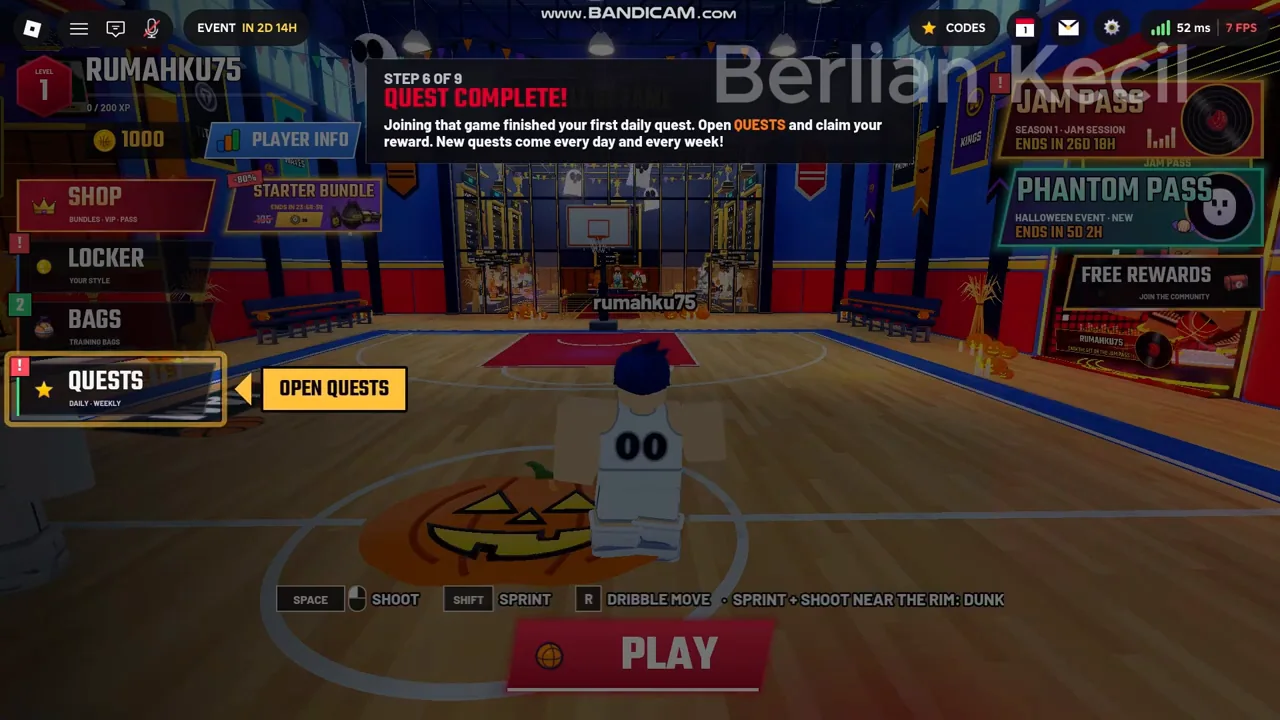
Open QUESTS in the lobby
Select QUESTS on the left side of the lobby. The reviewed interface has DAILY and WEEKLY tabs. Read the current objective list before choosing a mode so you can work toward a task while practising.
Read progress, then claim rewards
- Open DAILY or WEEKLY and read each objective with its progress counter.
- Choose an appropriate activity. In the recording, joining a practice game is one daily objective, and playing two practice games is another.
- Return to QUESTS after the activity and check whether progress advanced.
- Use the claim controls for completed rewards. The inspected board includes CLAIM ALL.
- Check the reward response and your updated progress before deciding what to complete next.
Quest points, shown as QP, advance the displayed reward track. A reward of Jam Coins is a separate value. Avoid reading a QP amount as the number of coins you receive.
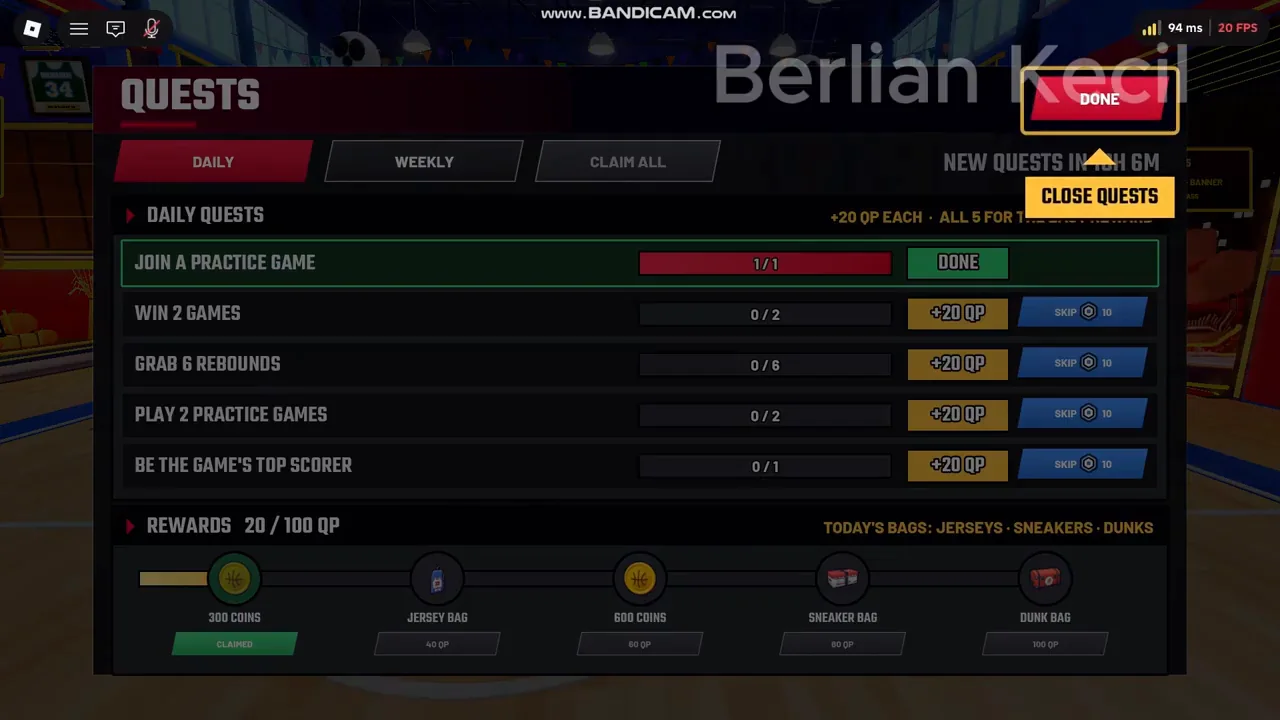
A recorded daily quest example
| Objective shown in the recording | Displayed QP |
|---|---|
| Join a practice game | 20 QP |
| Win 2 games | 20 QP |
| Grab 6 rebounds | 20 QP |
| Play 2 practice games | 20 QP |
| Be the game’s top scorer | 20 QP |
The recorded track has milestones at 20, 40, 60, 80 and 100 QP. It shows 300 coins, a Jersey Bag, 600 coins, a Sneaker Bag and a Dunk Bag across that track. This is a November recording example. Read your current board for today’s tasks, rewards and reset timer.
If progress or rewards look wrong
First check the precise objective and whether you completed the relevant mode or action. Then reopen the same quest tab and inspect its counter. A task asking for wins differs from a task asking for games played. We have not verified every rule that determines quest credit.
Do not assume every completed game pays a fixed amount of coins or XP. One inspected loss ends with zero for both on that player’s results screen; the cause is unknown. Focus on the actual quest counter and reward response rather than a passive farming promise.