HOOP JAM Codes: ALLSTAR, HALLOWEEN & WELCOME
Find the three developer-listed codes, the actual CODES menu and reward screens observed in recorded gameplay.
Codes listed by the developer
| Code | Official reward | Status on 9 November 2026 |
|---|---|---|
| A free ticket | Listed by the developer | |
| A free reward | Listed by the developer | |
| A free reward | Listed by the developer |
Open the CODES menu and redeem
- Join HOOP JAM by StacWorks.
- From the lobby, open the star-labelled CODES button at the top right of the lobby.
- Enter one code exactly as shown in the table.
- Select REDEEM, then read the success or error response before entering another code.
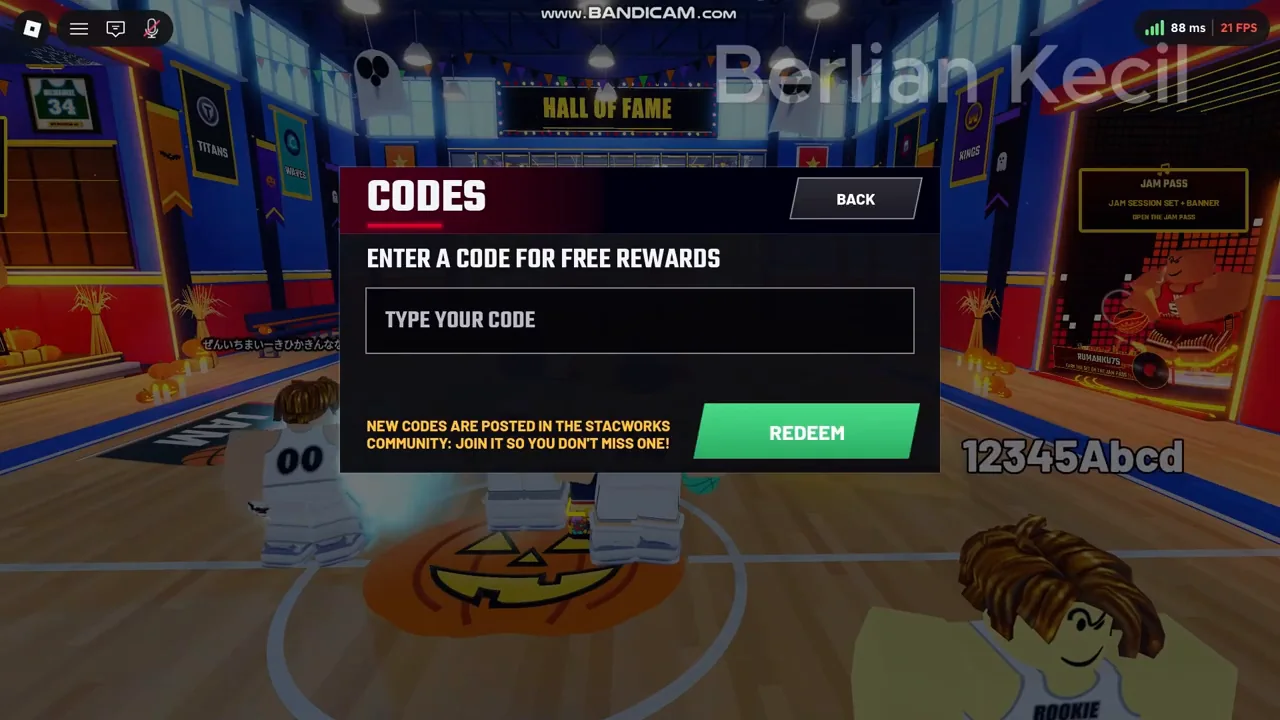
The reviewed recording shows a dedicated CODES interface with a text field and REDEEM button. This is a specific observed menu path; a future update may move the button.
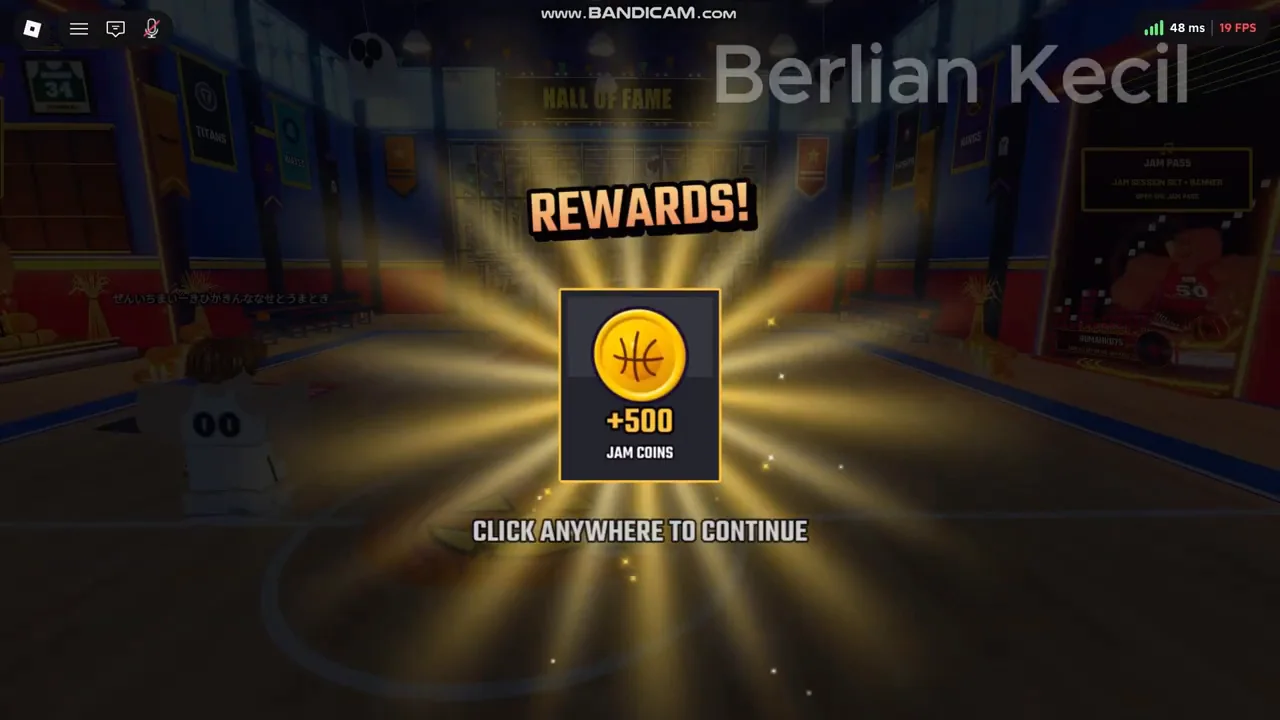
HALLOWEEN: reward observed in the recording
The November recording shows +500 Jam Coins after HALLOWEEN is entered. The current official description says only free reward, so 500 Jam Coins is a recorded observation rather than a guarantee for every later version.
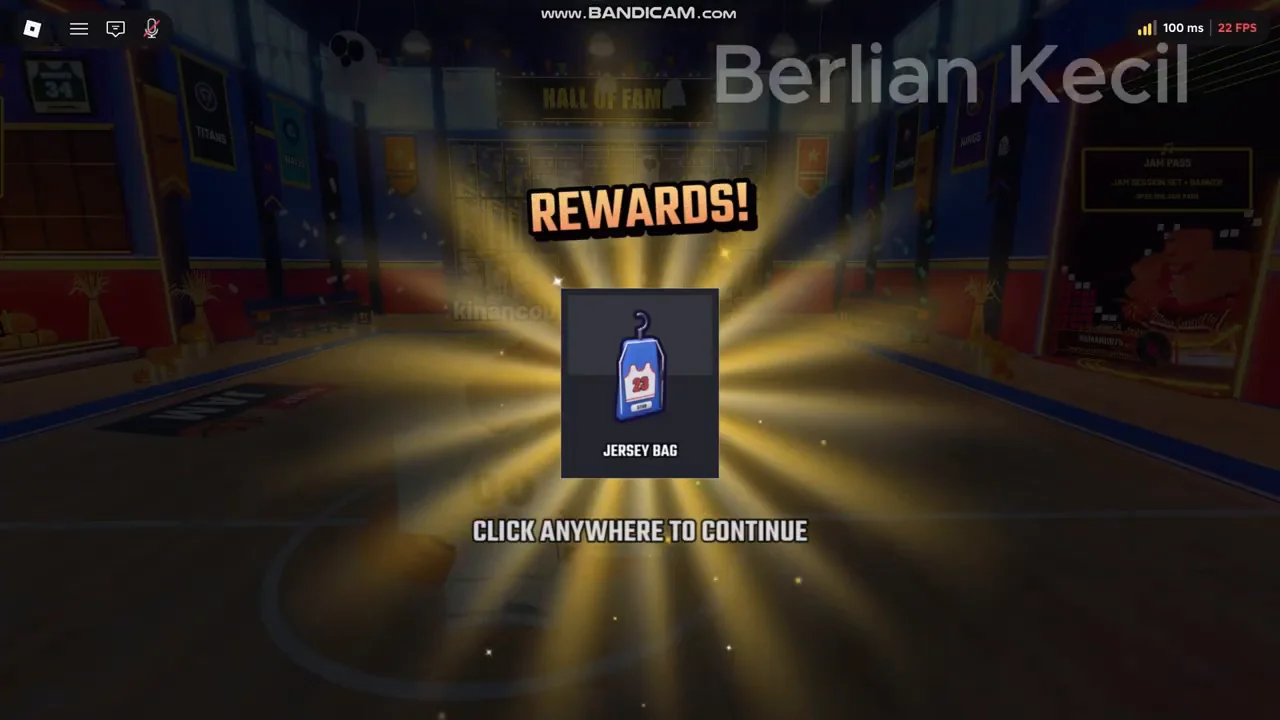
WELCOME: the recorded reward is a Jersey Bag
The inspected reward screen reads JERSEY BAG after WELCOME is redeemed. Some third-party pages describe a Ball Bag or FX Bag; those conflicting names are not used as the confirmed current reward here. The code table retains the official wording, free reward.
If redemption fails
- Remove leading or trailing spaces and enter the full code.
- Read the error message. An already-redeemed response differs from an invalid or expired code.
- Confirm that you joined the StacWorks game and check whether the code is still in its official description.
- After a game update, trying a fresh server can be a troubleshooting step, with no guarantee that it will fix a rejected code.
No code is labelled expired here without expiry evidence. The developer description does not give an expiry date or a specific account-level requirement for these codes. The ALLSTAR ticket is confirmed by the announcement; its exact exchange or prize is not verified in this guide.